You are using an unsupported browser. Please update your browser to the latest version on or before July 31, 2020.
close
You are viewing the article in preview mode. It is not live at the moment.
Are you a student?  Go to the SHD Portal!
Home > Information Technologies > Zoom > Accessing Zoom Through the IVCC Website
Accessing Zoom Through the IVCC Website
print icon

Accessing Zoom Through the IVCC Website


You can also watch this VIDEO for steps. Please note that this applies to both students and instructors.

  1. Go to https://www.ivcc.edu/


  1. Go to the top right and click/hover I am a/an



  1. Click Faculty and Staff


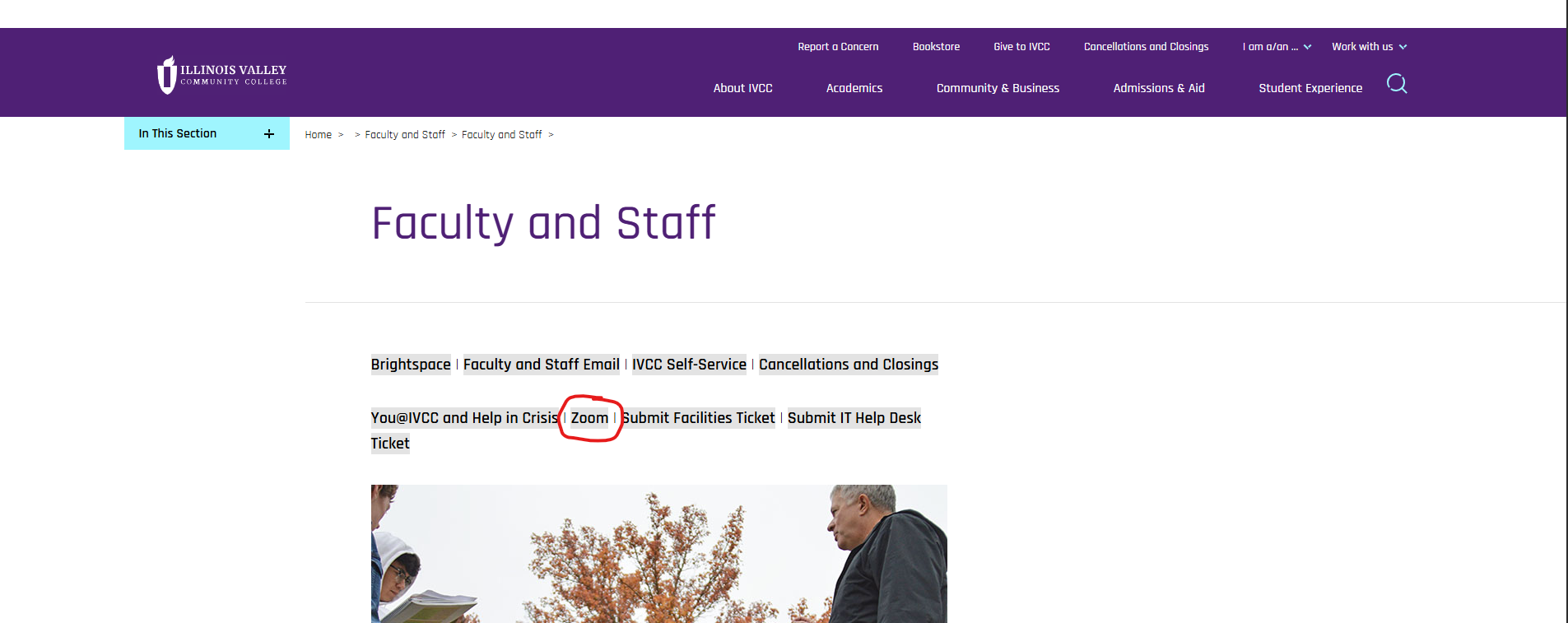
  1. Click Zoom


  1. Choose the option you need. Join, Host, or Sign in to configure setting/account

 

Feedback
0 out of 0 found this helpful

Attachments

Accessing_Zoom_Through_the_IVCC_Website.pdf
scroll to top icon